Create a packing list from a commercial invoice
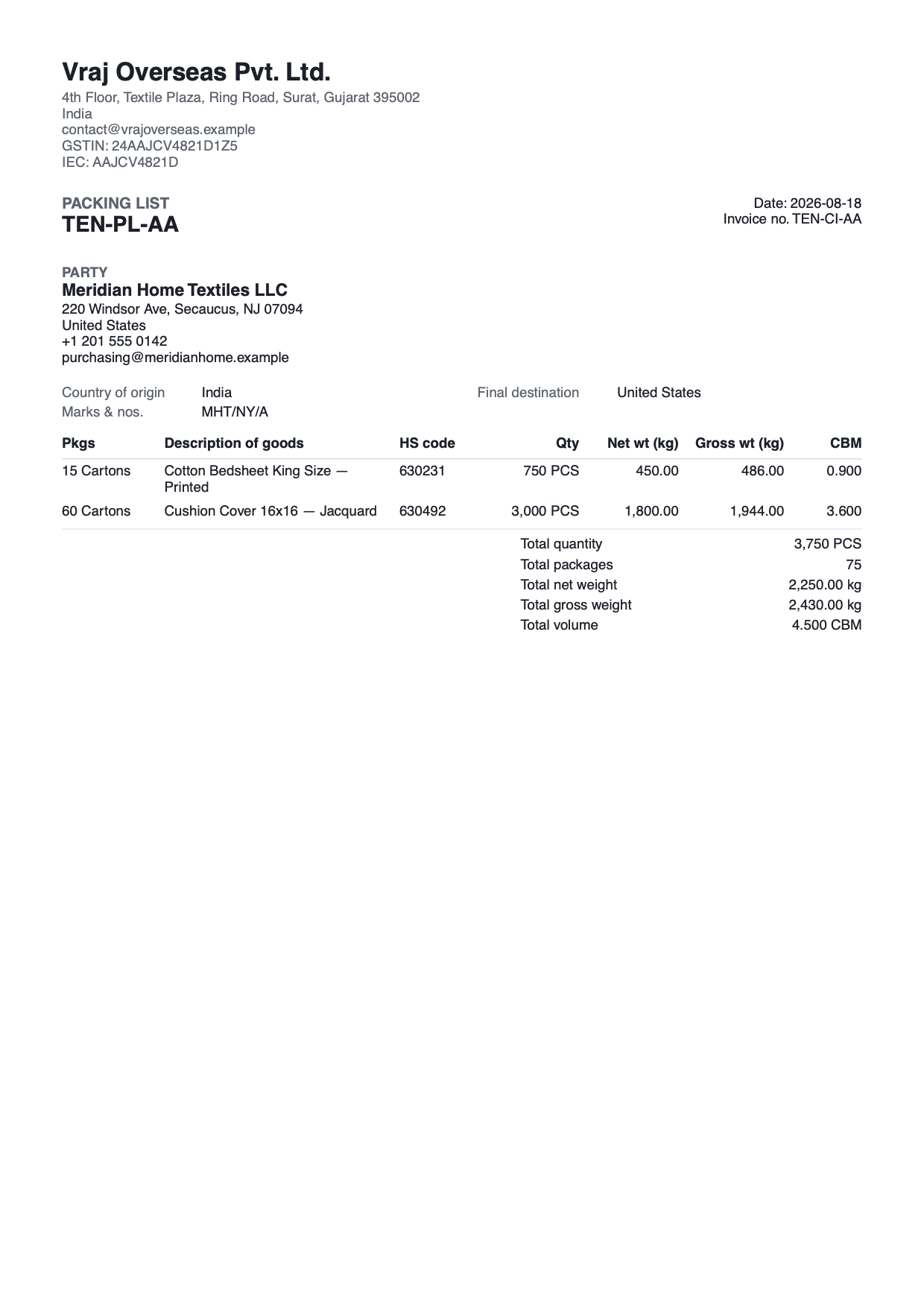
Open the commercial invoice and choose Create packing list. Bilexor copies the items, quantities and HS codes from the invoice, so you only add packages, net and gross weight and CBM per line. Totals add up for you, and Bilexor warns you if the packing list and invoice stop matching.
Step by step
Open the commercial invoice and choose Create packing list.
Items, quantities and HS codes come over from the invoice.
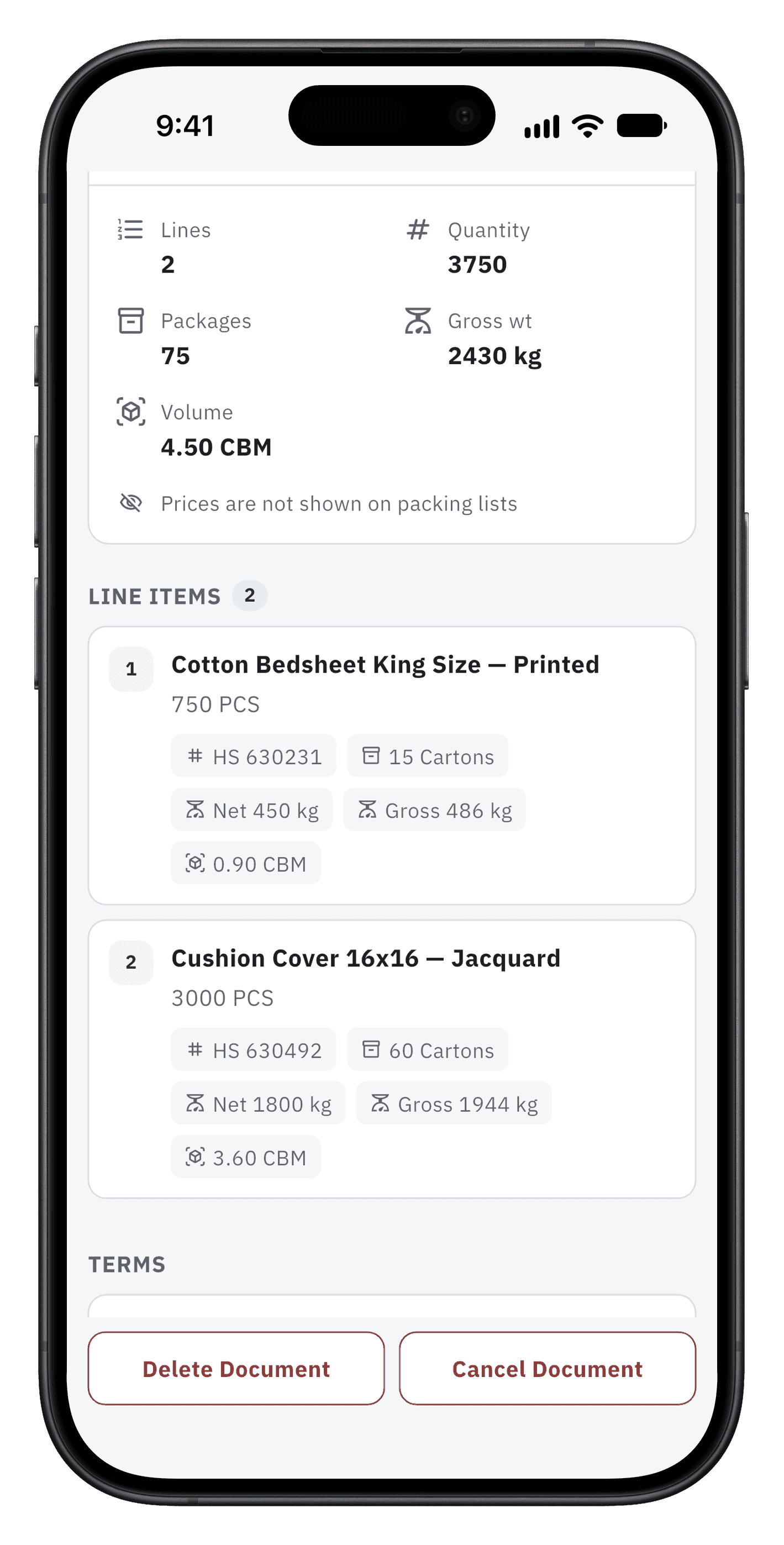
For each line, enter Packages, Package kind (e.g. Cartons), Net weight (kg), Gross weight (kg) and CBM. Use + Add part to split a line across cartons.
Save. Totals for packages, weights and volume are calculated.
Frequently asked questions
What if the packing list and invoice don't match?
Before you share or download, Bilexor compares documents in the same shipment — items, quantities, HS codes, shipping marks and package counts — and shows what differs.