Documents
Convert a proforma to a commercial invoice in one tap
AndroidiPhone & iPadWebFREE PLANUpdated 16 Nov 2026
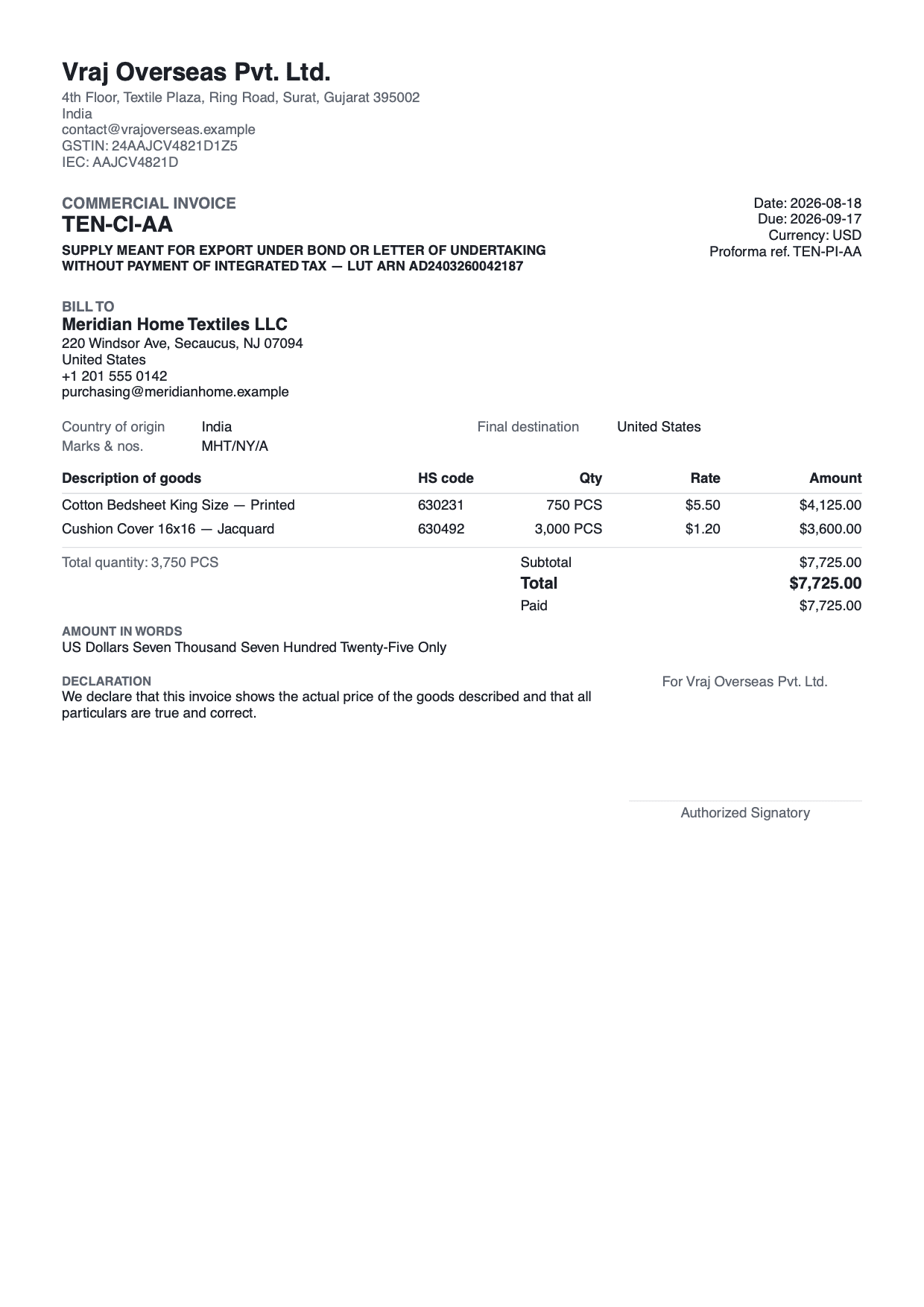
Open the proforma and tap Convert to Commercial Invoice. Bilexor copies the buyer, lines and shipment details into a new commercial invoice, and can carry over an advance you recorded on the proforma. Adjust anything that changed — such as a short shipment — then save and share the invoice.
Step by step
Open the proforma from Documents.
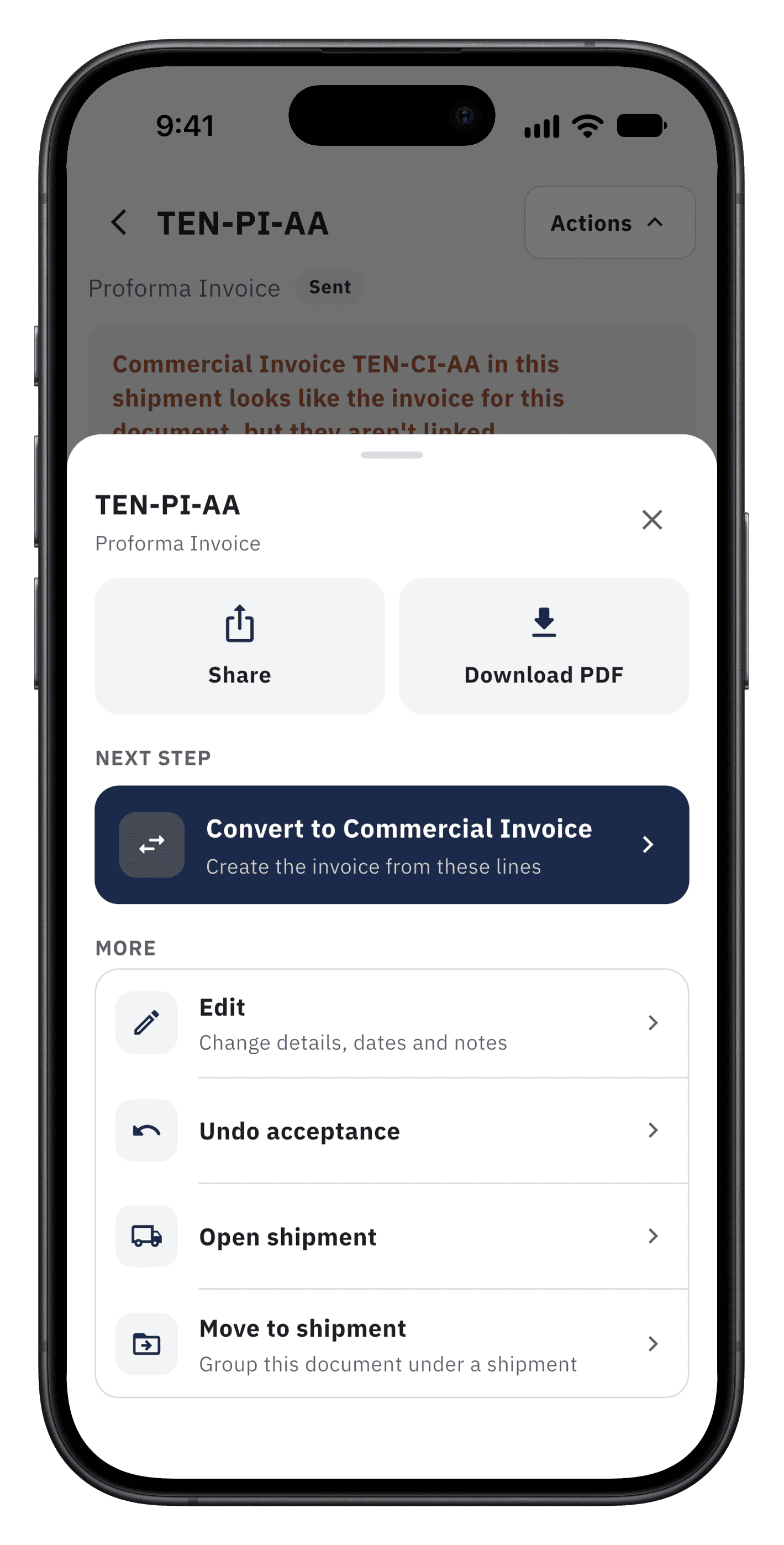
Tap Convert to Commercial Invoice.
Check the lines and quantities. If you recorded an advance, it can carry over to the invoice (see Advance Payments).
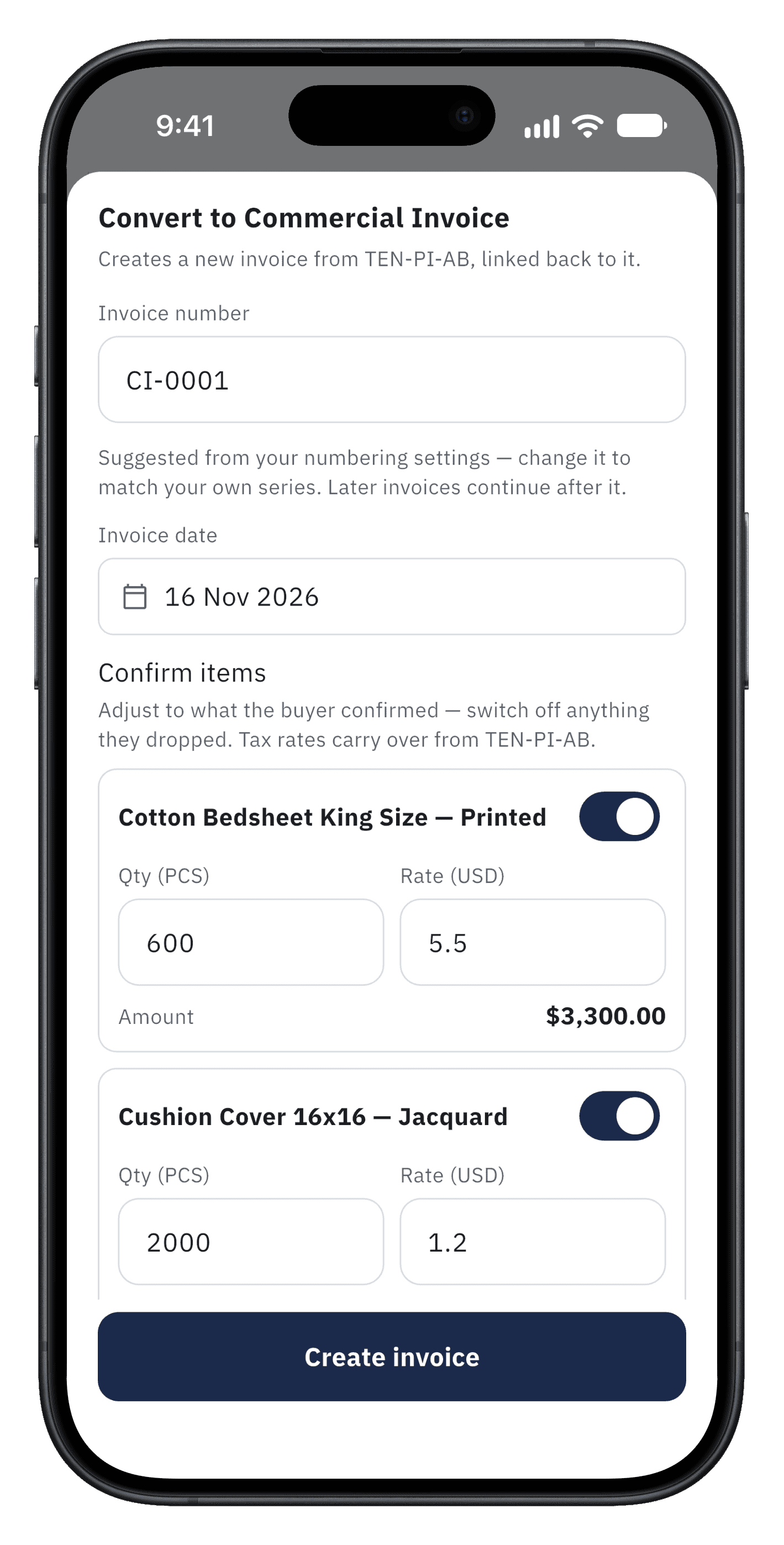
Save, then Share or Download PDF.
Was this helpful?