Payments
Record an advance on a proforma and carry it to the invoice
AndroidiPhone & iPadWebFREE PLANUpdated 16 Nov 2026
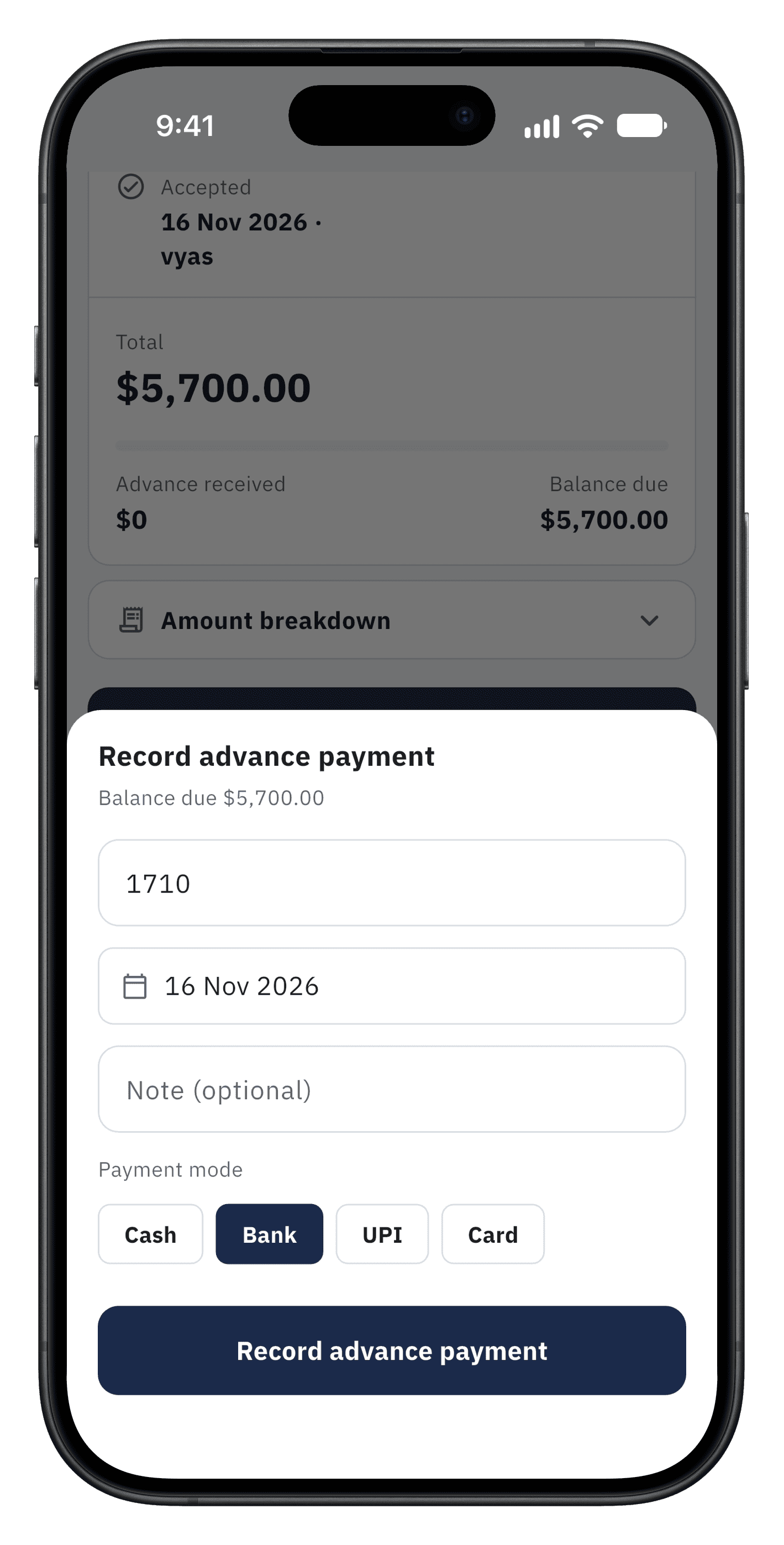
Set your usual advance % in Settings → Advance Payments. When the buyer accepts the proforma, mark it accepted and tap Record advance payment — the amount is pre-filled with your default %. When you convert the proforma, the advance can carry over to the commercial invoice.
Step by step
In Settings → Advance Payments, set the default % and whether converting carries the advance onto the invoice.
Open the proforma and tap Mark accepted when the buyer confirms.
Tap Record advance payment — the amount starts at your default % — and save.
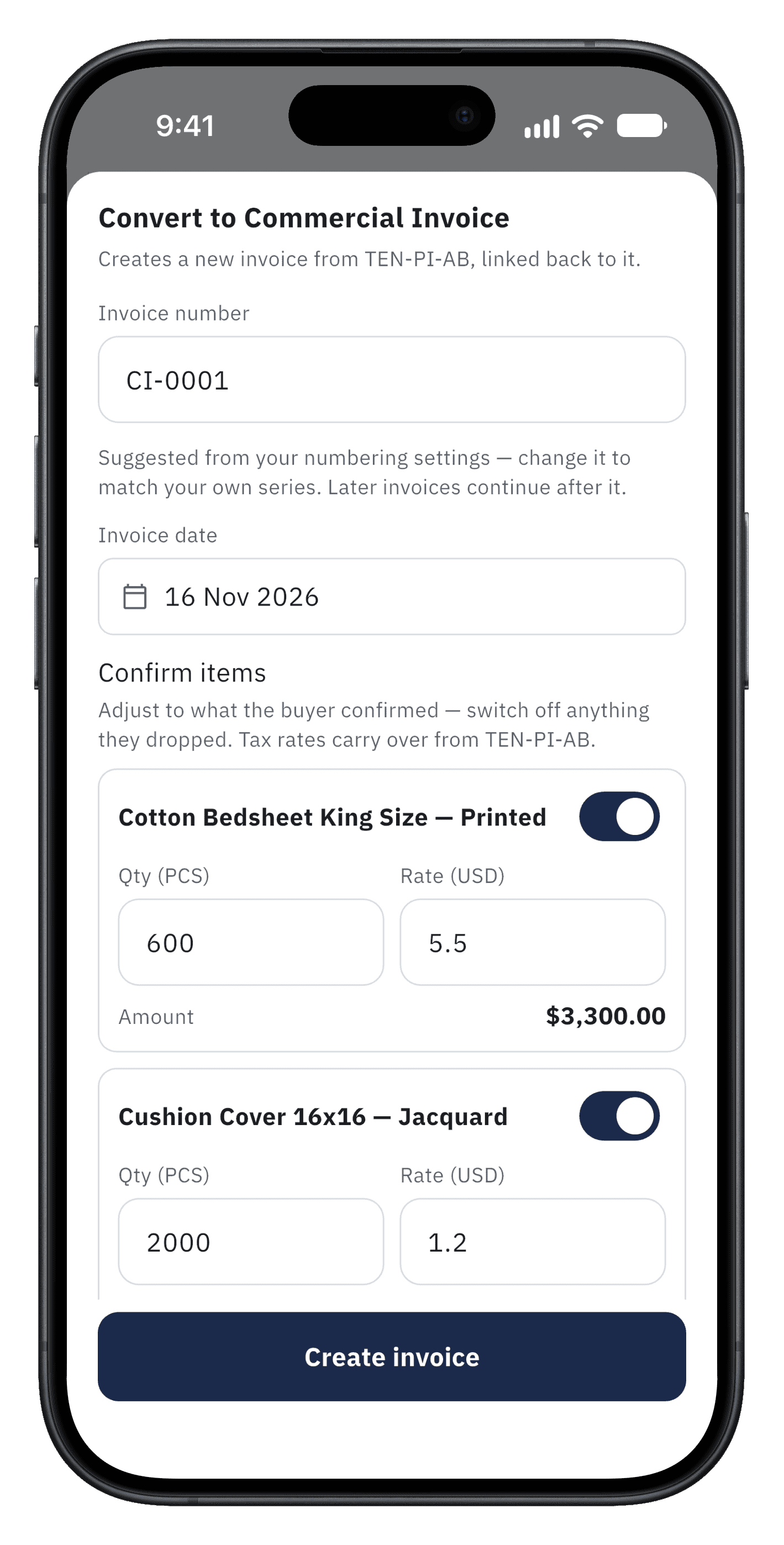
When you Convert to Commercial Invoice, the advance carries over.
Was this helpful?