Losing track of advances against proformas
A buyer paid 30% upfront. Months later, at invoicing, someone has to remember that — and work out what's still due. Miss it and you chase money you already have, or forget money you're owed.
Why it keeps happening
- Advances arrive against the proforma, but the balance is collected against the invoice — two documents, often two places.
- The advance is noted in a bank statement or a spreadsheet, not on the documents themselves.
How Bilexor handles it
Record the advance on the proforma
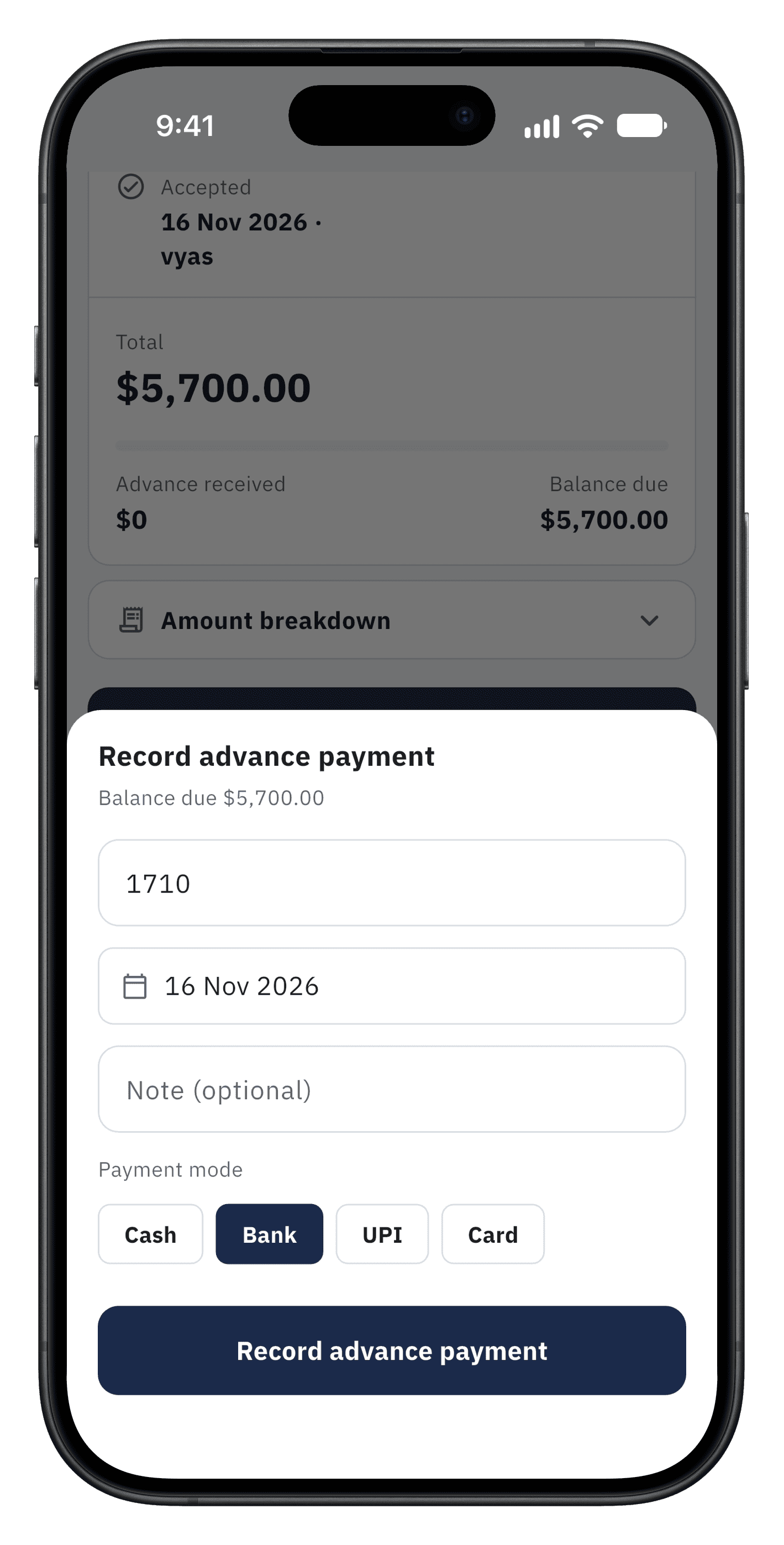
Mark the proforma accepted and tap Record advance payment. The amount starts at your default advance %, set once in Settings.
It follows the order to the invoice
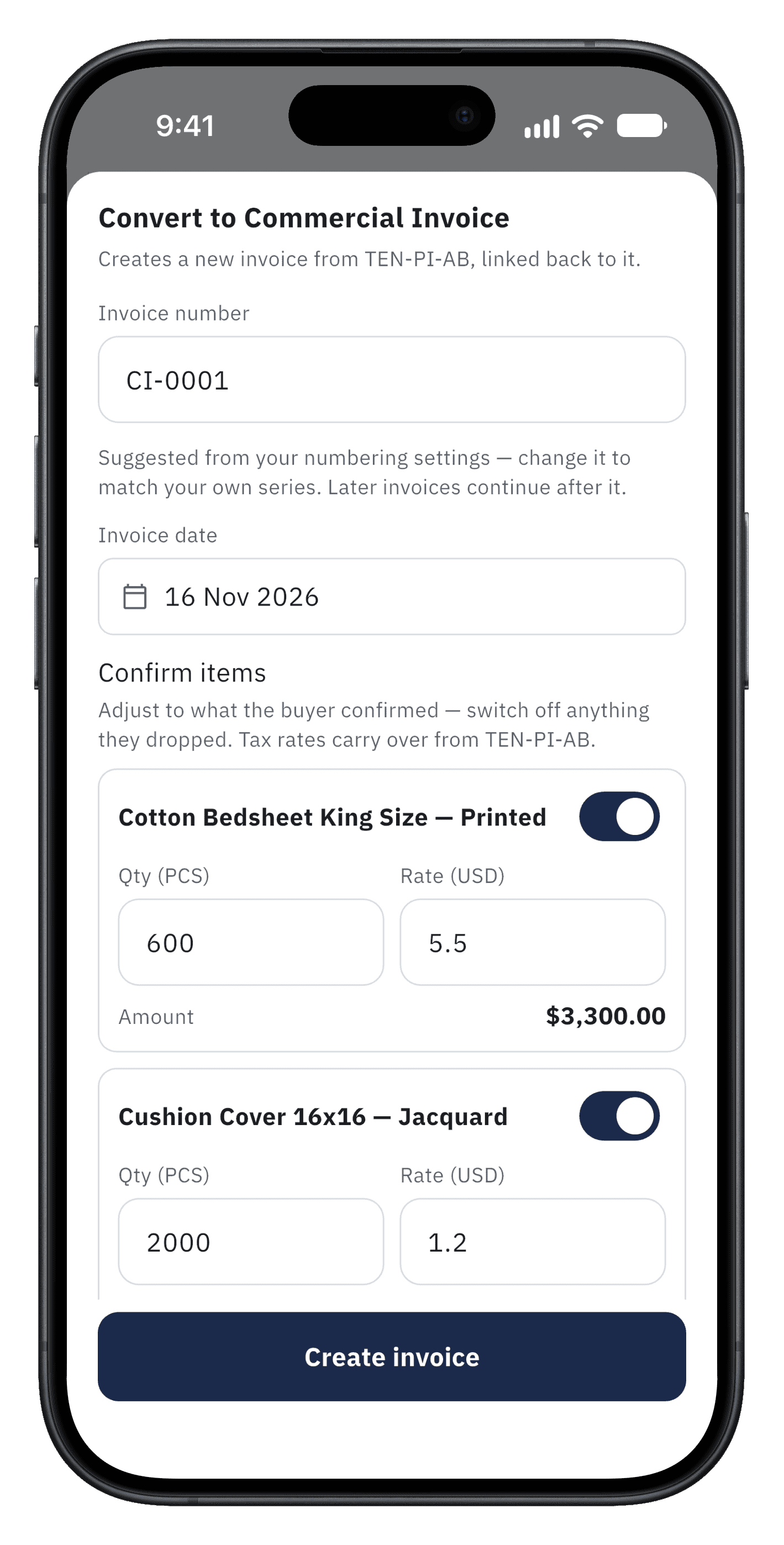
When you convert the proforma, the advance can carry onto the commercial invoice, so the balance due already accounts for it.
Every buyer's balance in one place
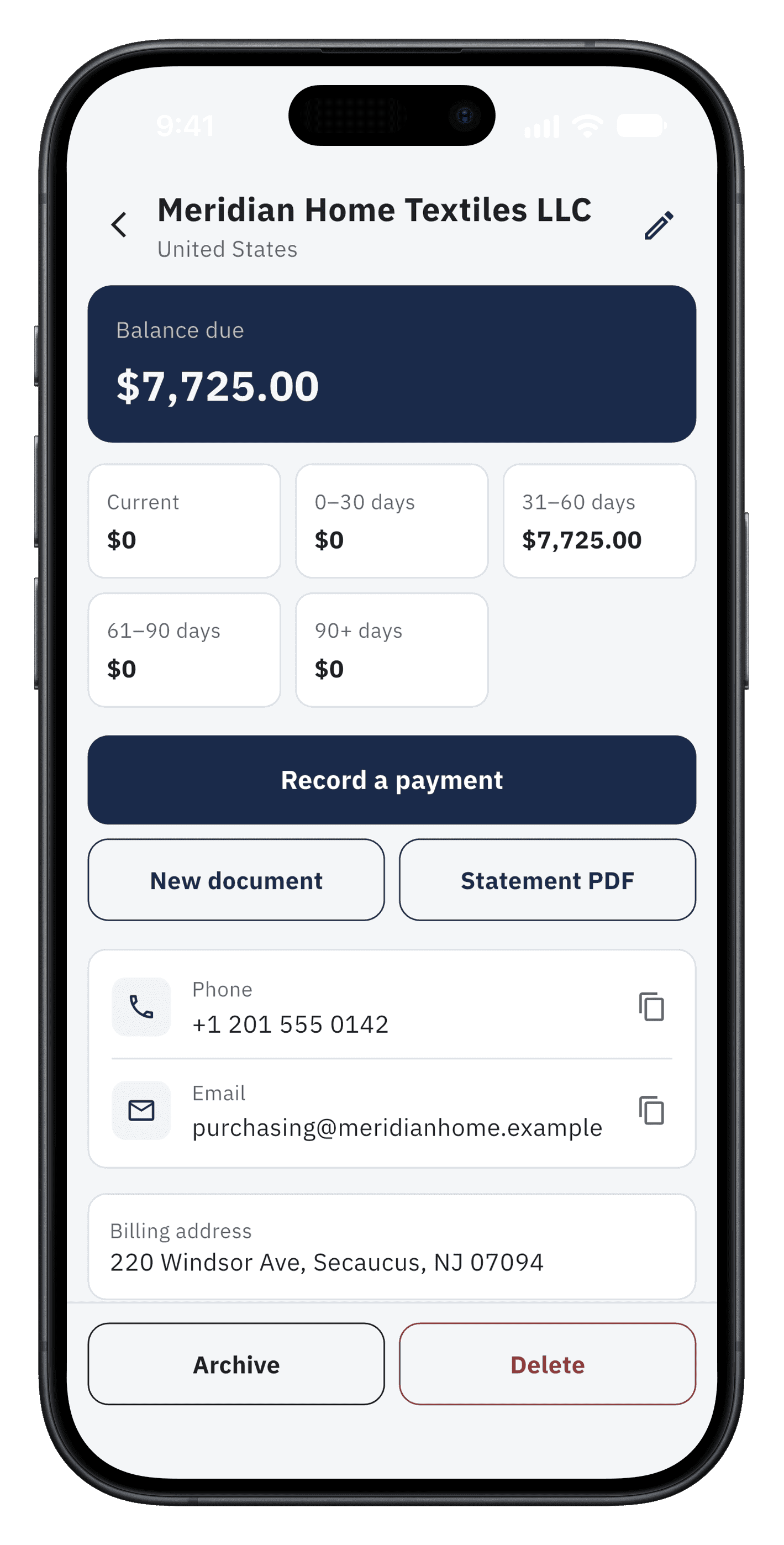
Each customer's ledger shows what they've paid and what's outstanding, with ageing in 0–30, 31–60, 61–90 and 90+ day bands.
Do it step by step
Each guide covers the phone app and, where it differs, the web dashboard.
Frequently asked questions
Can I change the default advance %?
Yes — in Settings → Advance Payments, along with whether converting a proforma carries its advance onto the invoice.
What if the buyer pays the balance in parts?
Record each payment against the invoice. The balance due updates every time.