Payments
Record a payment against an export invoice
AndroidiPhone & iPadWebFREE PLANUpdated 16 Nov 2026
Open the invoice and tap Record Payment. Enter the amount, date and method, and save. Part payments are fine — the balance due on the invoice and the buyer's outstanding balance update each time, and the payment appears on the invoice.
Step by step
Open the invoice and tap Record Payment.
Enter the amount, date and payment method, then save.
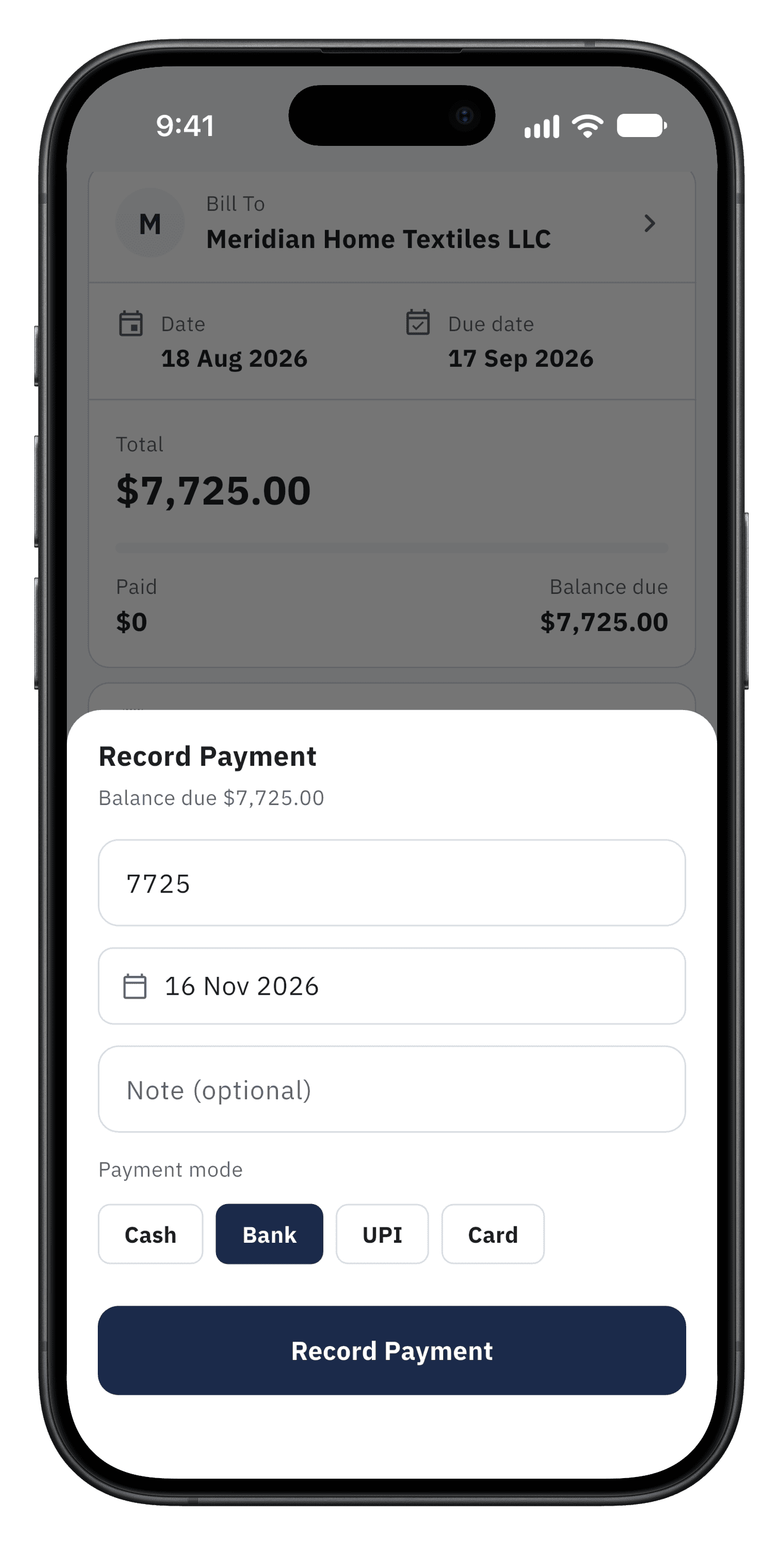
The Balance due updates. Record more payments as they arrive.
Was this helpful?