Payments
Check who has paid and what's still due
AndroidiPhone & iPadWebFREE PLANUpdated 16 Nov 2026
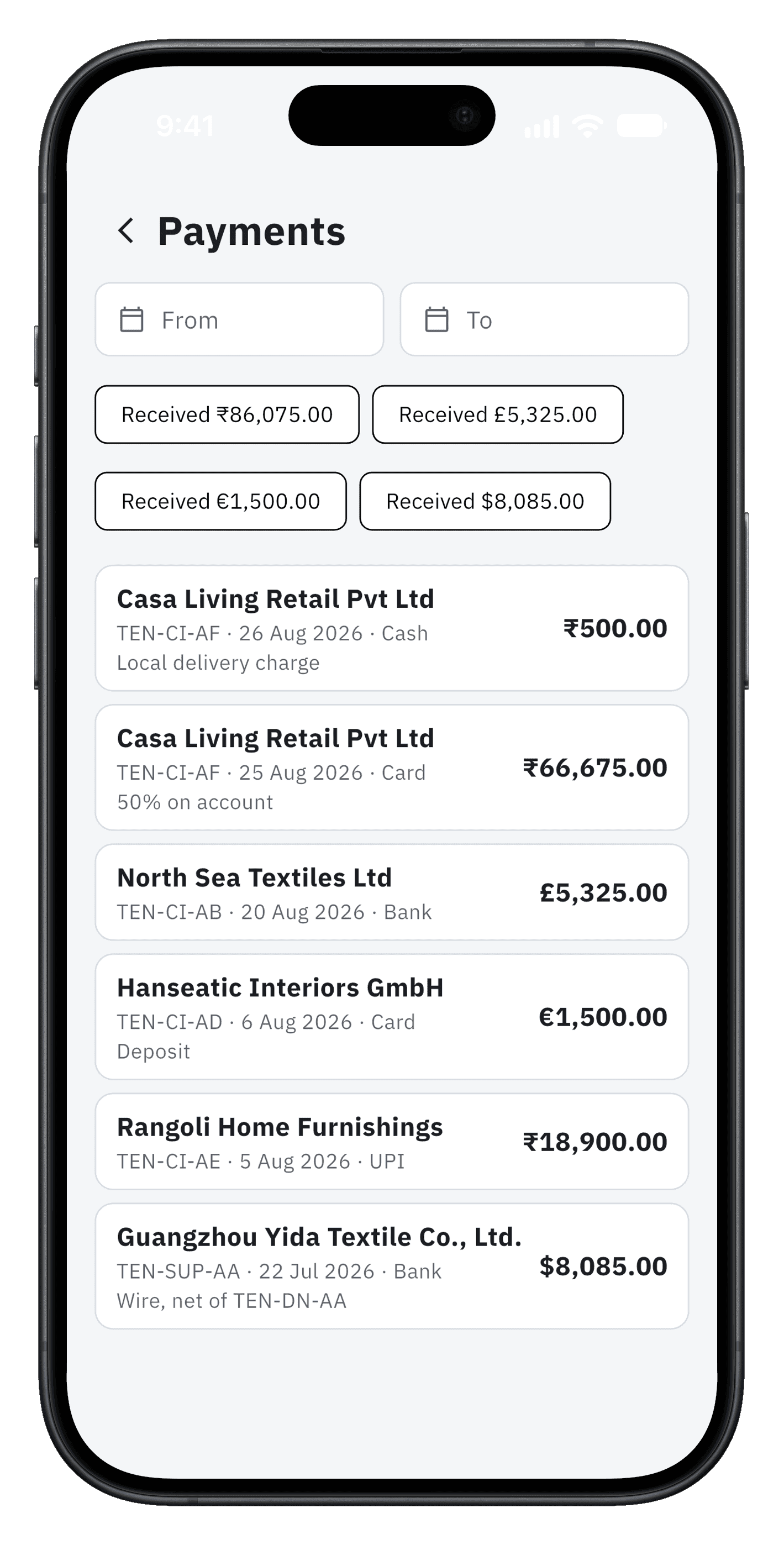
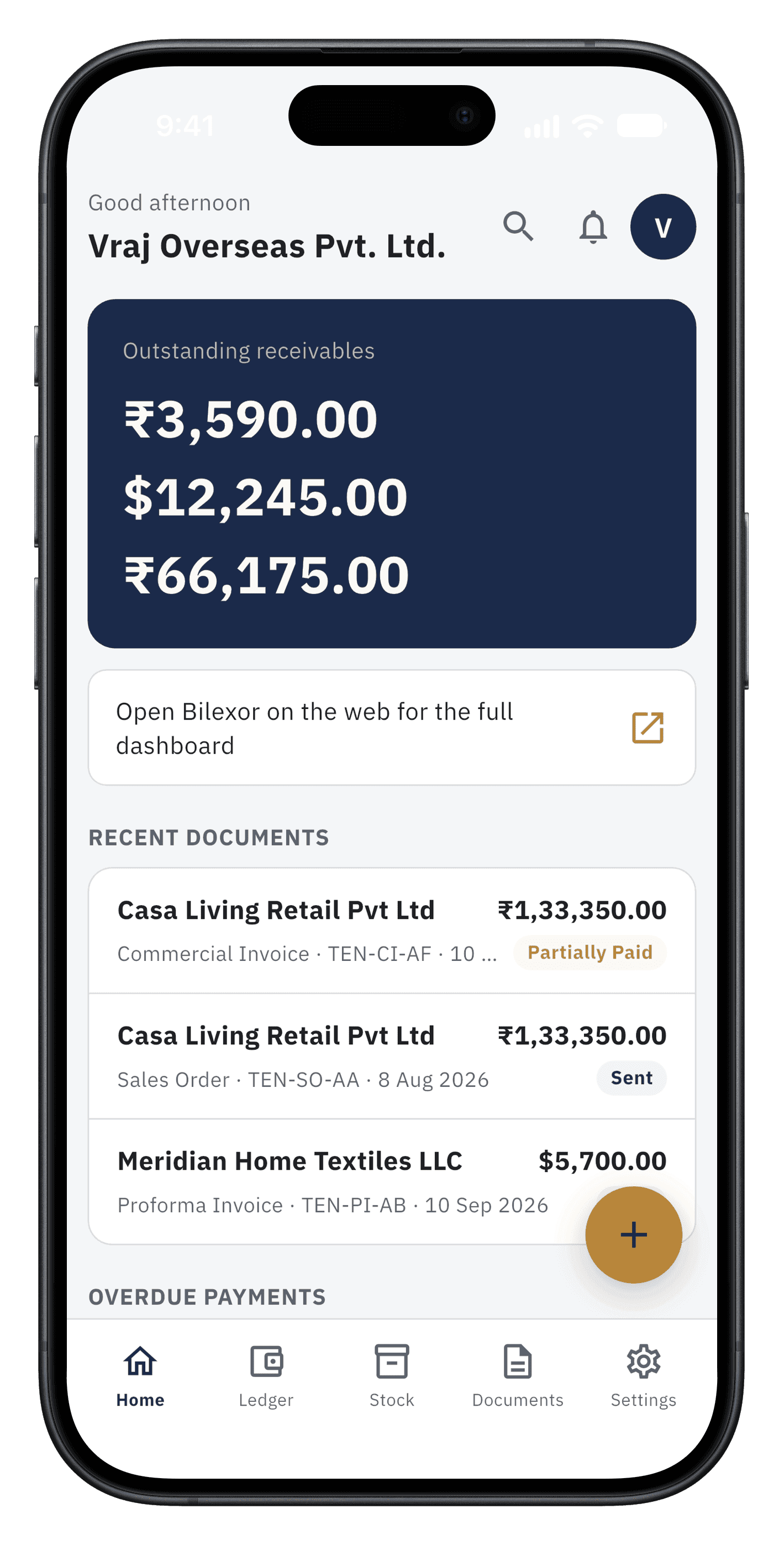
Open Documents and tap the payments icon at the top to see every payment recorded. Home shows what buyers owe in total, and each customer's ledger shows their own balance. On the web, Payments is in the sidebar.
Step by step
Open Documents and tap the payments icon at the top.
Home shows the total outstanding; open a customer in Ledger for theirs.
Was this helpful?