Contacts & ledger
See a buyer's ledger and outstanding balance
AndroidiPhone & iPadWebFREE PLANUpdated 16 Nov 2026
On the Ledger tab, open a customer to see their ledger and outstanding balance, with ageing in 0–30, 31–60, 61–90 and 90+ day bands. Record a payment from the same screen. Home also shows the total outstanding across all buyers.
Step by step
Open Ledger and tap the customer.
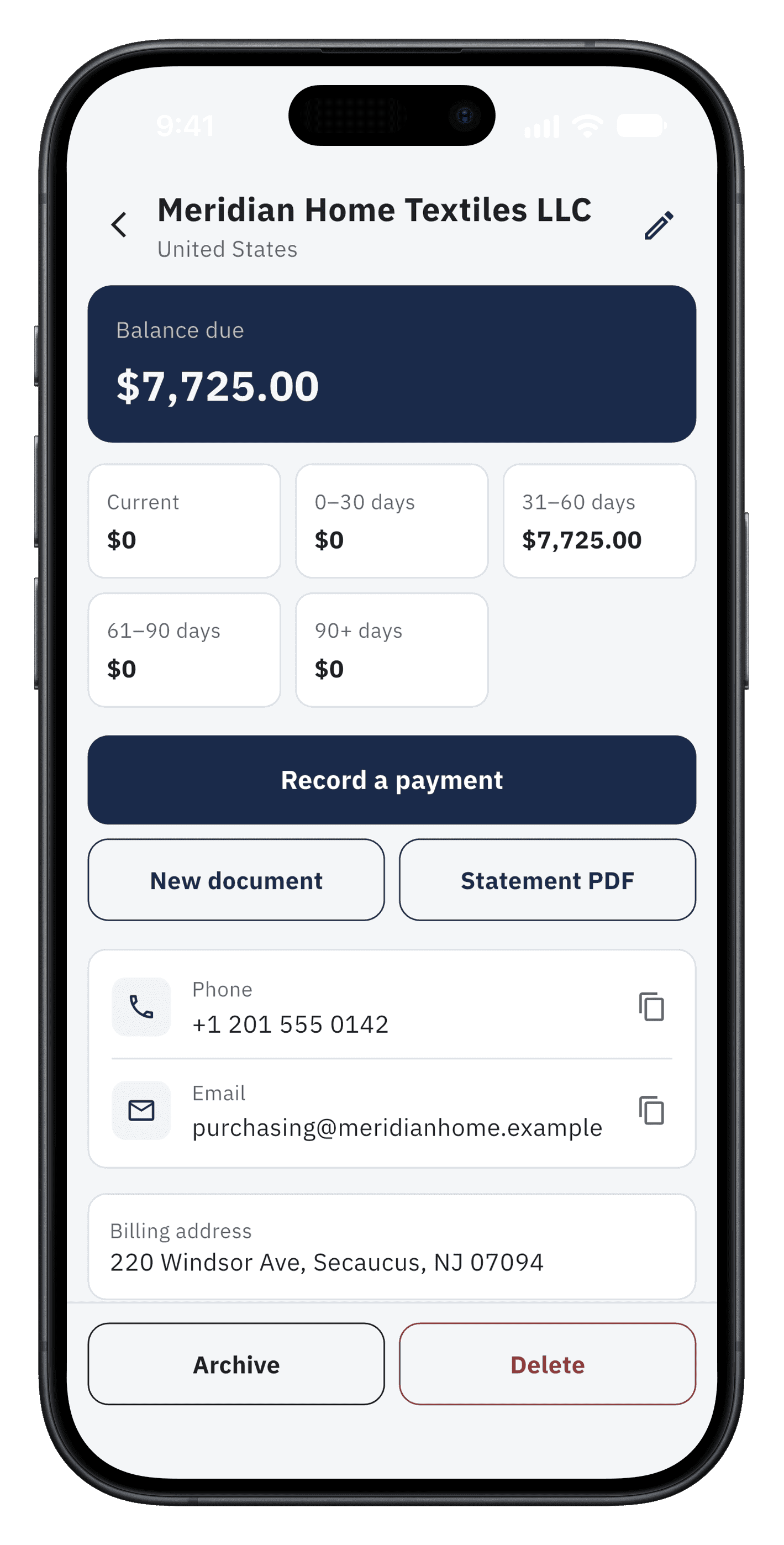
Read the ledger and the outstanding balance by age: 0–30, 31–60, 61–90 and 90+ days.
Tap Record a payment to log money received.
Was this helpful?