Shipments
Create a shipment's missing documents, pre-filled
AndroidiPhone & iPadWebFREE PLANUpdated 16 Nov 2026
Open a shipment to see its documents grouped by stage. Create a missing one and it comes pre-filled from the shipment, convert a proforma in one tap, or move an existing document in. Keeping the set together is also how Bilexor checks that the documents match.
Step by step
Open Documents, tap the shipments icon, and open a shipment.
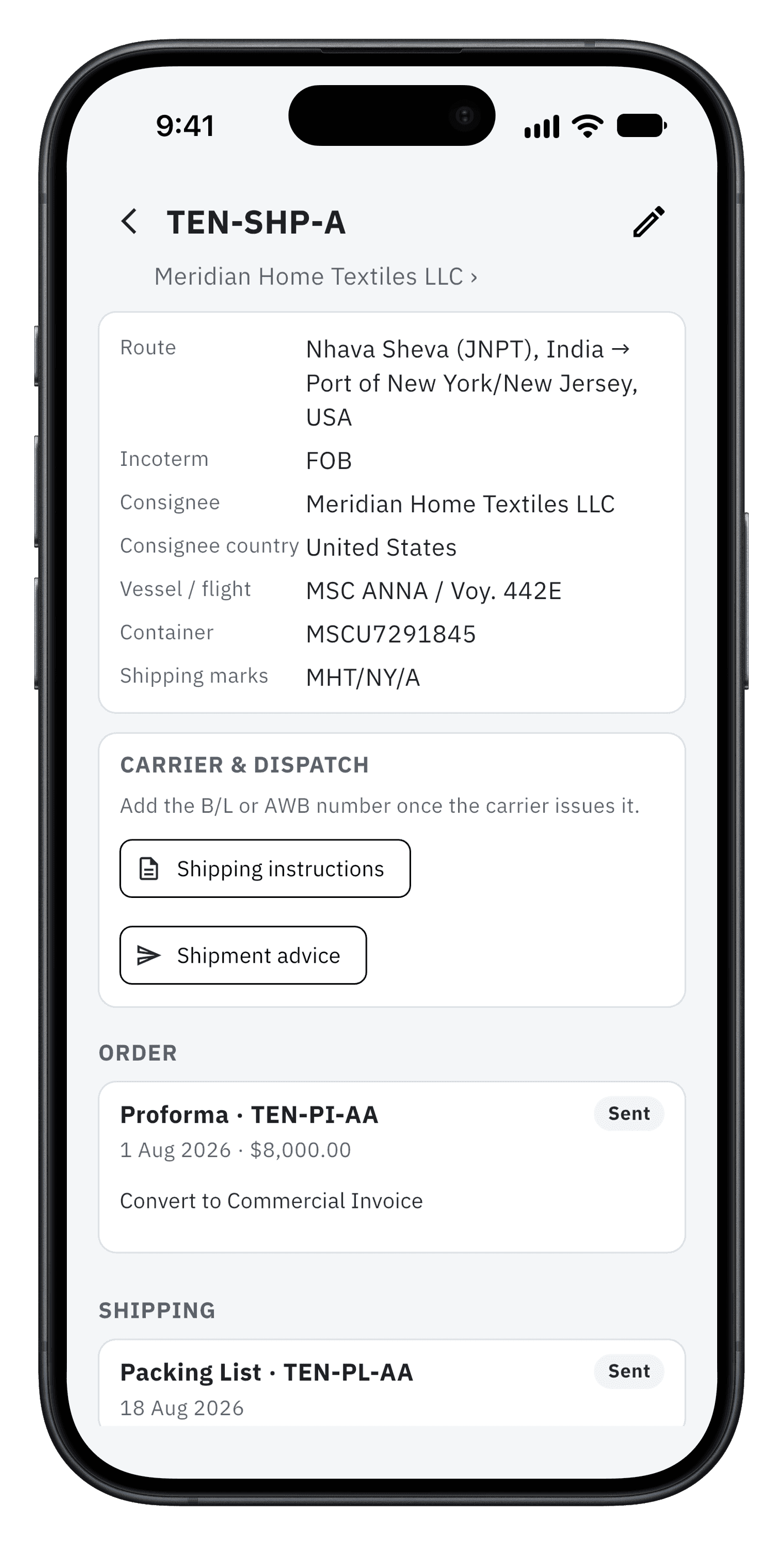
Create a missing document — it opens pre-filled from the shipment.
To bring in a document made separately, use Move a document here. From a document, Move to shipment does the same.
Was this helpful?