Solutions
Handing export data to your accountant every month
Every month your accountant asks for the invoices again, and someone spends an afternoon copying numbers into a spreadsheet for GSTR-1 — then Tally — from documents that are already typed once.
Why it keeps happening
- Invoices are made in one tool, returns prepared in another, and nothing connects the two.
- Re-keying export invoices by hand is where the zero-rated and LUT details get mixed up.
How Bilexor handles it
GSTR-1 and GSTR-3B spreadsheets
Choose a date range in Settings → Export (CSV, GST, Tally) and export GST-shaped spreadsheets built from your invoices.
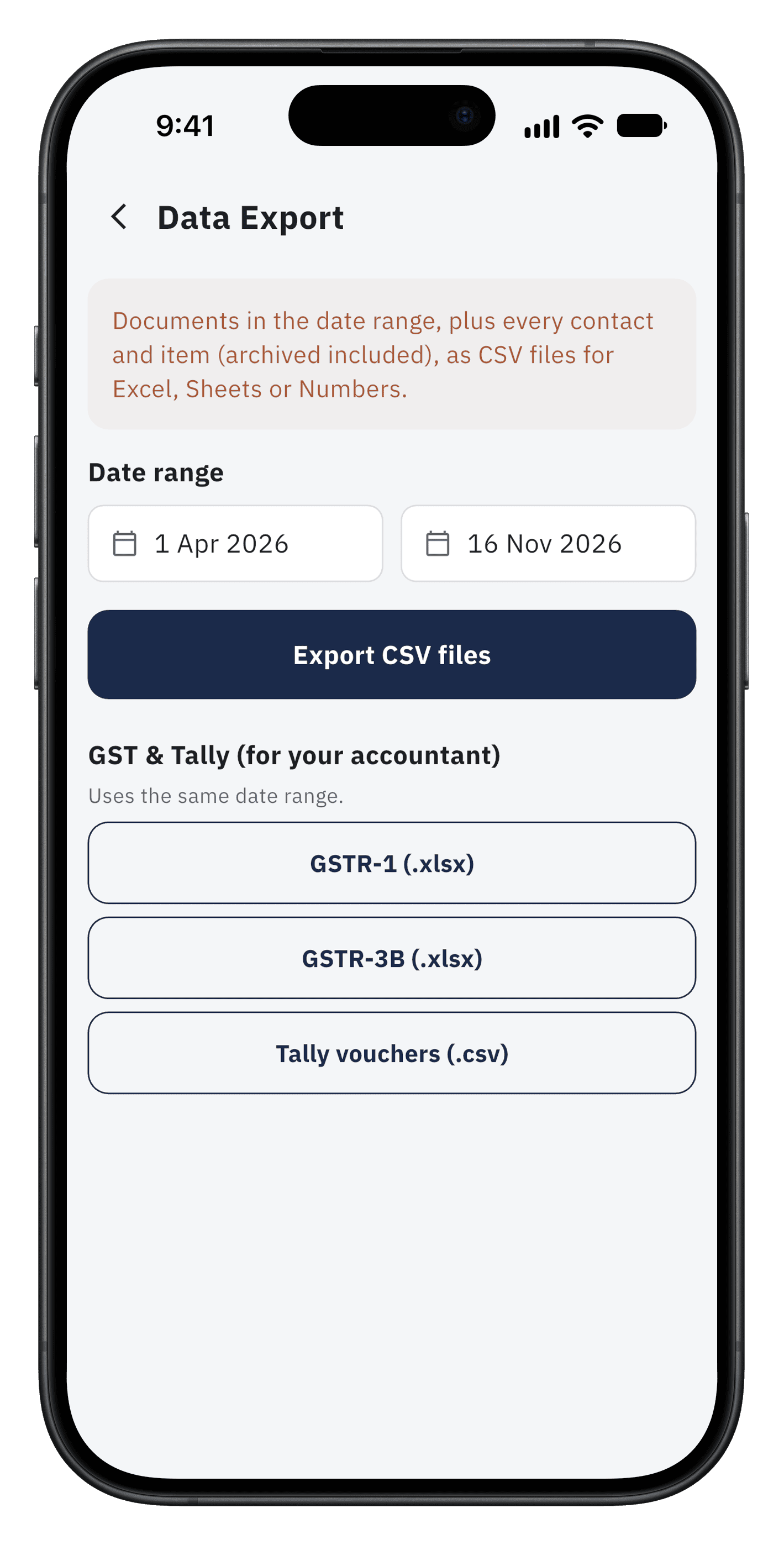
A Tally-compatible file
Export the same period as a Tally file, so your accountant imports instead of re-typing.
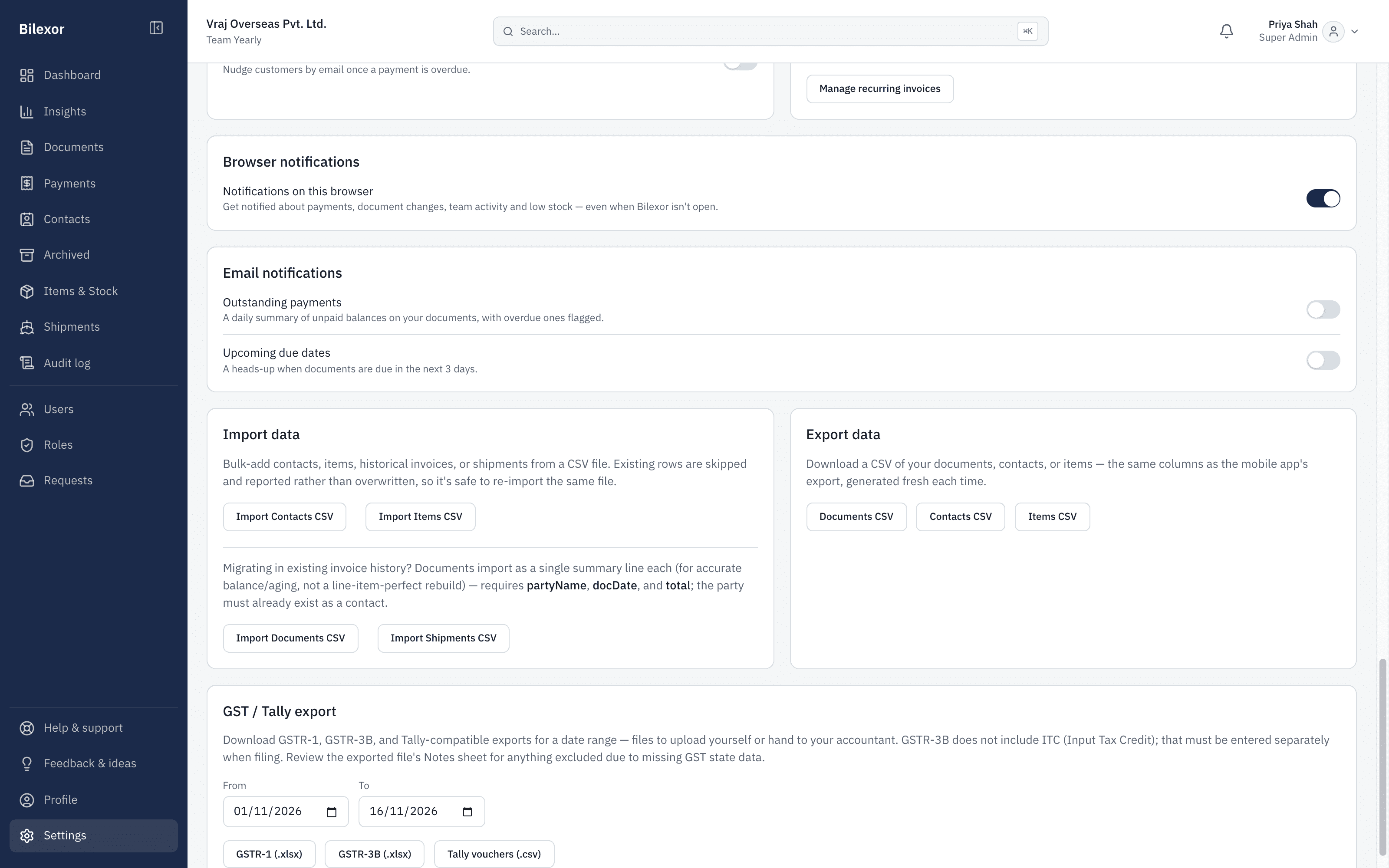
Plain CSV too
Export documents, contacts and items as CSV for anything else.
Do it step by step
Each guide covers the phone app and, where it differs, the web dashboard.
Frequently asked questions
Does Bilexor file my GST returns?
No. It exports files built from your invoice data for you or your accountant to review. It never submits anything to GSTN or generates e-invoices.
Which plan includes GST exports?
Exports are part of the paid plans.