Getting the LUT, IEC and declaration right on every invoice
Every export invoice under LUT needs the right GST line and your LUT ARN, plus your IEC and a declaration. Typing them into each invoice means one day one is missing, wrong or out of date.
Why it keeps happening
- The wording is fixed but long, so it gets copied from an old invoice — along with an old ARN.
- Some invoices are under LUT and some pay IGST; the line has to match which one it is.
How Bilexor handles it
Set it once
In Settings → Export Compliance, save your IEC, LUT ARN with its validity date, a declaration and your company stamp. Every field is optional.
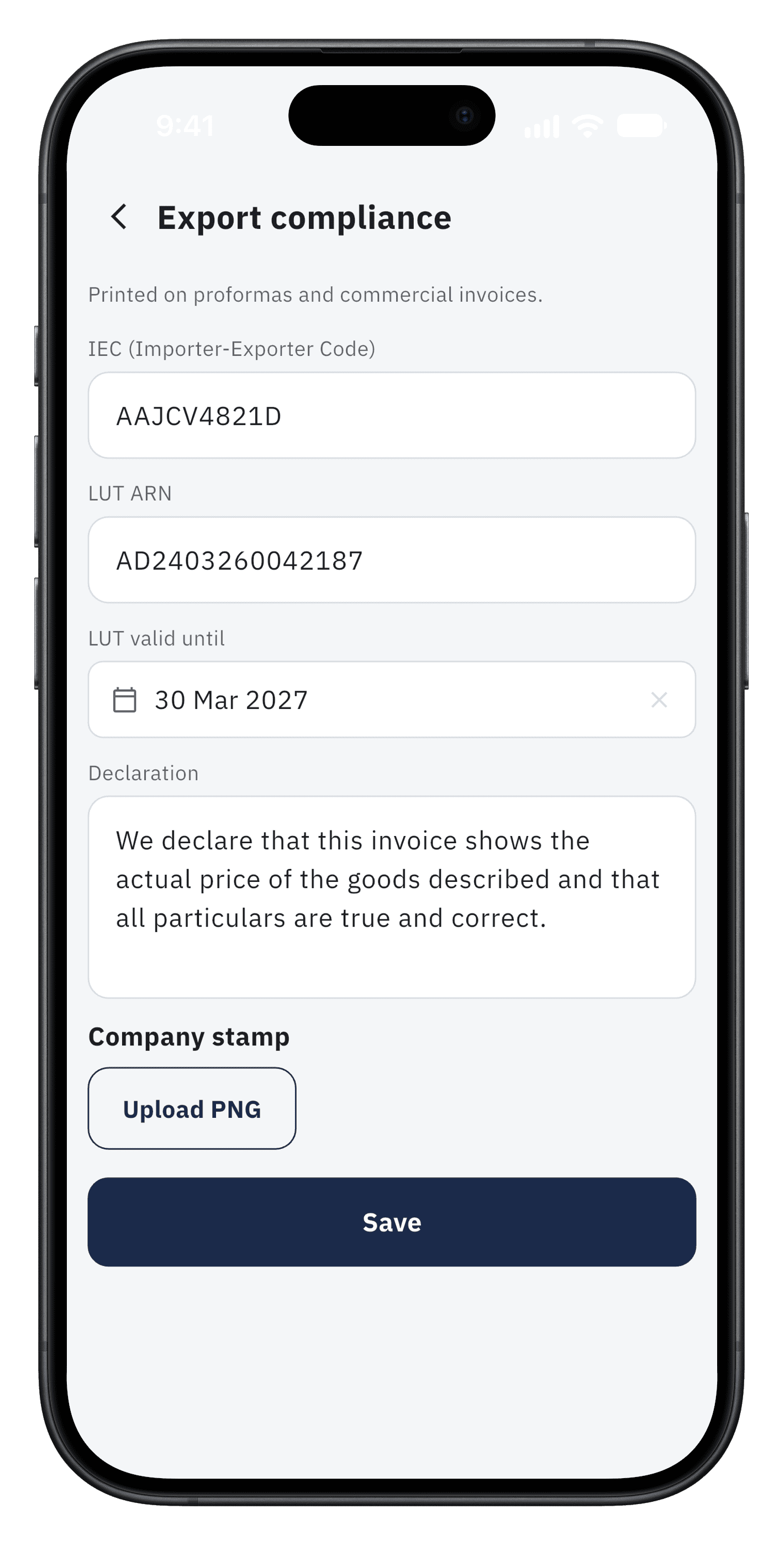
The right GST line, automatically
When your tax ID is a GSTIN, the buyer is outside India and the invoice has no tax, the PDF prints the LUT wording with your ARN. When IGST is charged, it prints the “on payment of integrated tax” line instead.
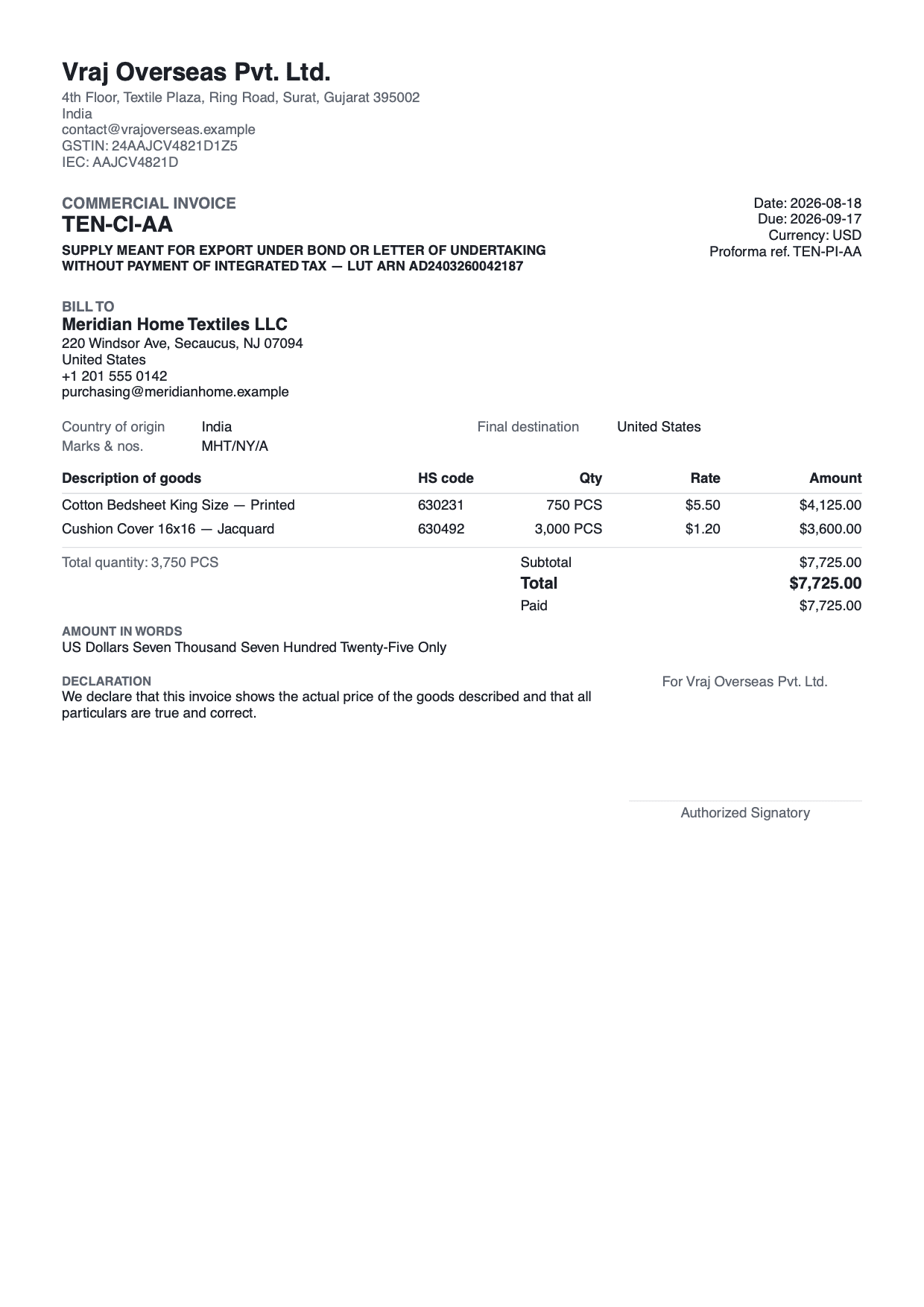
Same details on the web
The Export compliance card in the web dashboard's settings edits the same details, so every user's invoices match.
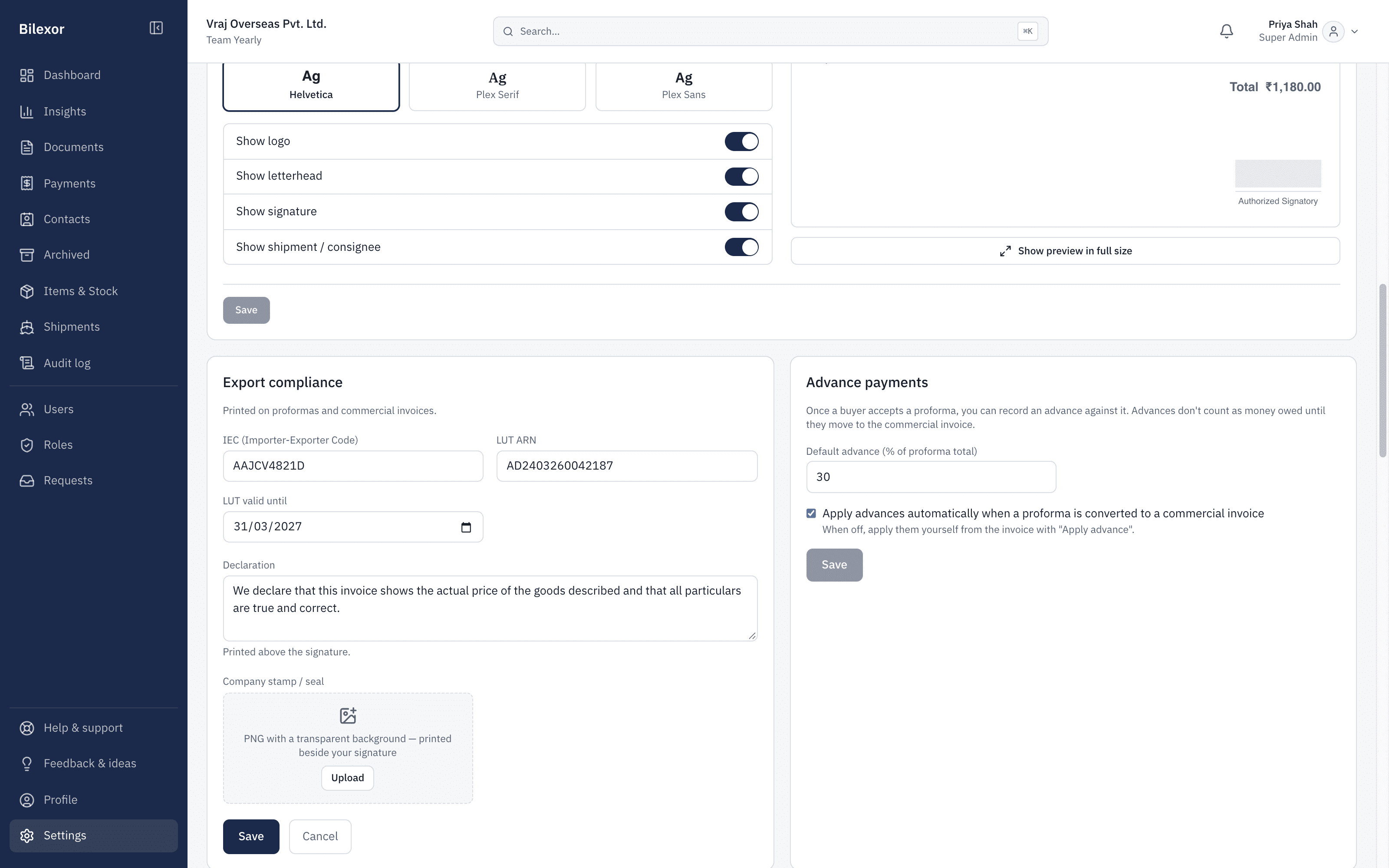
See the output — real PDFs made in Bilexor:
Do it step by step
Each guide covers the phone app and, where it differs, the web dashboard.
Frequently asked questions
Do I have to have an LUT to use this?
No. Fill in only what applies. If you pay IGST on exports, leave the LUT fields empty.
Does Bilexor file my LUT or GST returns?
No. It prints the details you enter on your documents, and can export GST files for you or your accountant — it never files anything.